

As a foreigner, buying tickets for concerts and events in Japan can be a bewildering process. Japan’s major ticketing agencies typically require a Japanese phone number and address, making online purchases virtually impossible for foreigners. We found this out first hand when trying to get hold of tickets for puroresu (pro wrestling) shows. There isn’t really any way to get around this. Luckily, there are a few methods for buying tickets once you arrive in the country. This guide explains how to purchase concert tickets at any local convenience store in the country, without being able to speak Japanese or the need for a Japanese phone number, address or bank account!
Buying sumo/pro wrestling tickets outside of the country
If you’re outside of the country, by far the best (and possibly only?) way to get tickets in advance is to use a service like buysumotickets.com. This is essentially a resale service – they will purchase tickets on your behalf and then post them out to you. Tickets can be mailed internationally, or they can be sent directly to your hotel in Japan in time for your arrival. It’s common for most business hotels in Japan to receive and hold mail for guests – just check with the hotel in advance that they are able to do this.
We used buysumotickets.com for a Stardom joshi show and found the service and communication to be excellent – the tickets were posted to our hotel in Morioka as requested and were handed to us by the receptionist when we checked in. By using a service like this, you can guarantee a ticket before you arrive in the country – ideal for events or seats which may be likely to sell out. The downside is that the resellers charge quite a considerable markup for their service (which is understandable). If you’re already in Japan and fancy checking out a show, then buying a ticket independently can actually be a really easy process with the help of Google Lens (or a similar app).
Buying tickets at Lawson
The easiest way to buy concert and event tickets within the country is to use the Loppi machines, which are located within pretty much all Lawson stores. This method should work for most major events, as Lawson’s ticketing branch (L-Tike) is one of the major ticketing companies in Japan. As long as you can find a Lawson (this should’t be too hard) then you should be able to get tickets.
The procedure is as follows:
- Use the L-Tike website to find the specific event (use Google Translate on the website if needed). If the event is listed, click on ‘apply for ticket’. You should see an option that says ‘Loppi exclusive code’. This will bring up a QR code. Take a screenshot of the code or just keep it on your phone screen. You can scan this QR at the Loppi machine in the Lawson store to bring up the event details without having to use the Japanese-language search function. Alternatiely, there is a 5-digit numerical ‘L-Code’ which you can enter in the machine to identify the event.
If you can’t find the event on the L-Tike website, then it may not be serviced by Lawson. Check the event’s website and the ticket companies which are linked. If it’s showing as ‘Pia Ticket’ or similar, then you may need to use a different method – skip ahead to the next section for this. - Head to the Lawson store and find the Loppi machine. The machines do not typically have an English language option and display only in Japanese – you should be able to use Lawson’s instore wifi and Google Lens (or similar app) to translate the text on the machine in real time. Scan the QR code or enter the L-Code as prompted, and then follow the instructions on the machine – they should be pretty self-explanatory.
- At some point, you will be asked to input your name. When entering the name, select the option for alphanumeric characters on the right hand side – you can then type your in name in the Latin alphabet rather than Japanese.
- Print the receipt with the barcode and take it to the cashier at the convenience store.
- Pay for the tickets at the cashier as you would for any item in the store – international cards should be fine. The cashier will then print out and gives you the physical tickets on the spot.
Success!
Buying using Pia Ticket
Some events are not serviced by L-Tike, but may be on another platform such as Pia Ticket. This is a little more complicated than using the Loppi machine, but we were able to figure out how to do this too. Tickets for events via Pia Ticket can be bought using the multicopy machines in 7-Eleven stores (the machine that looks like a printer/photocopier).
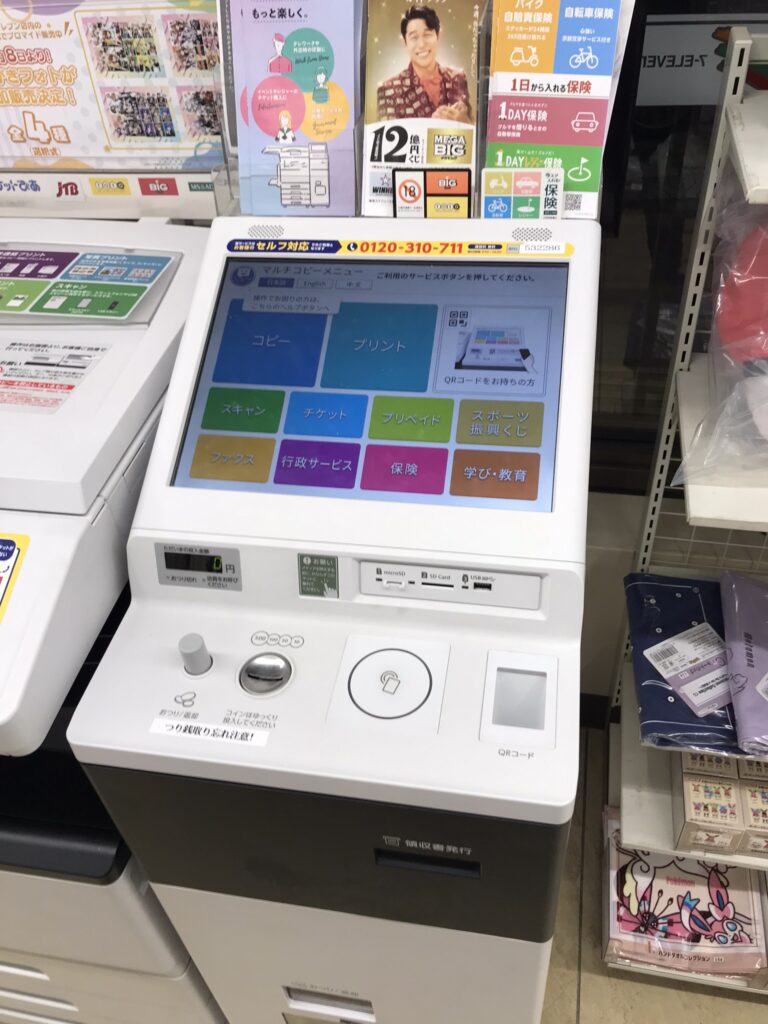
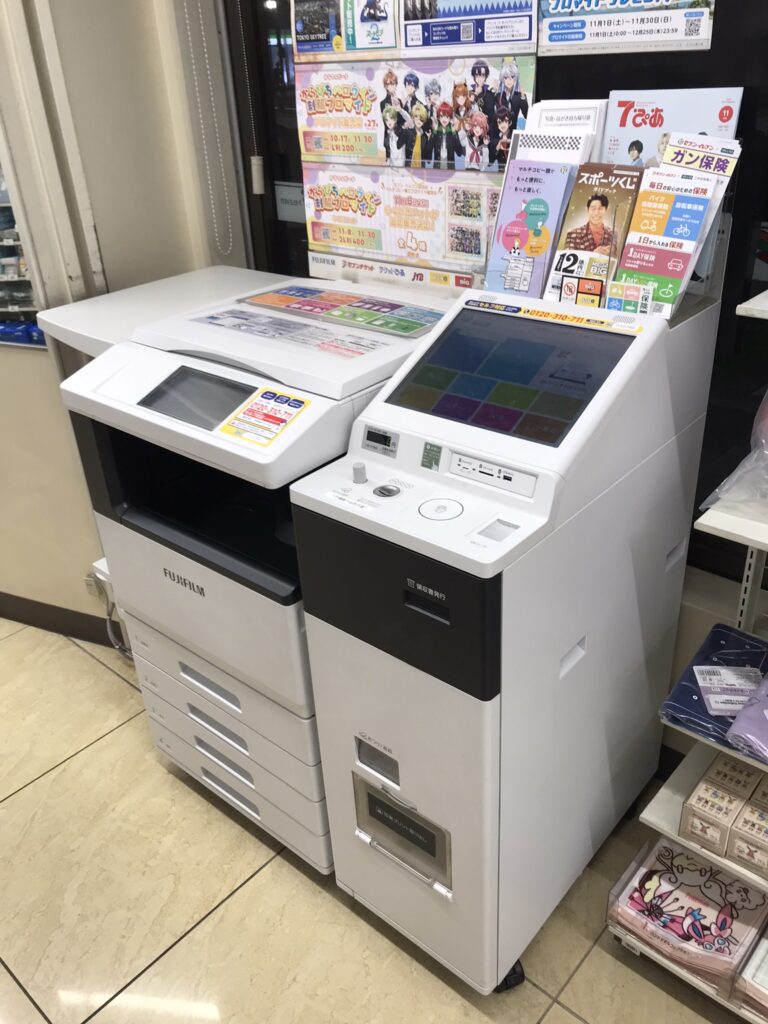
Don’t select the English option – it won’t work for ticket purchases
- Find the P-Code online using the Pia Tickets website. Again, you can use Google Translate and it should be pretty self-explanatory. The P-Code is 6 digits and you will need to note it down, as unlike the Loppi machines there is no QR code option.
- Head to any local 7-Eleven and find the Multicopy machine. Don’t attempt to use the English language setting – this will only display the copier function and you will not be able to purchase tickets. Instead, connect to the store’s wifi and whip out your phone and trusty Google Lens (or similar app). Select the option for Pia Ticket and follow the instructions until you are prompted to enter your name.
- This is where it gets fun. Unlike in the Lawson stores, there is no option to enter alphanumeric characters on the multicopy machine. You will therefore need to enter your name in katakana – the Japanese script. We used this website to convert our English name to katakana, and then entered the katakana characters manually on the multicopy screen. We initially tried to use Dan’s name, but it was too complicated to decipher for us non-Japanese speakers. Luckily, my name was more simple and worked fine. You will also be prompted to enter your phone number. There is not enough space on the screen to enter an international phone number, but this doesn’t really matter – its possible to purchase without verification, so just enter your number as best you can.
- Once you’ve completed the procedure the machine will print off a voucher, which you can take to the till and pay as you would for any other item. The staff should print your ticket out on the spot!
We couldn’t beleive that we were able to pull this off – hopefully this guide will assist you in doing so too. If all else fails, there’s also the option of purchasing tickets from the venue box office once you get into town!